You can now tune GridPilot yourself
Every GridPilot customer now has a web portal for adjusting how their battery trades — buy and sell prices, reserve levels, evening targets — without waiting on us to make the change.
GridPilot has always been tunable. The catch was that we did the tuning.
Every system runs on a set of thresholds: the lowest price you’re willing to sell at, the most you’ll pay to charge, how much charge to keep in reserve overnight, how full the battery should be before the evening peak. Those numbers matter. They’re the difference between a battery that sits idle through a good opportunity and one that makes the most of it.
Up until now, changing them meant sending us a message and waiting for one of us to get to it. Not exactly painful — but not the sort of thing you’d bother with at 9pm on a Sunday when you’ve just noticed prices have been strange all week.
What’s changed
There’s now a proper web portal. You sign in, you see your own settings, you move a slider, you save. The change is live on the next decision your system makes — usually within a few minutes.
It’s split into two halves on purpose.
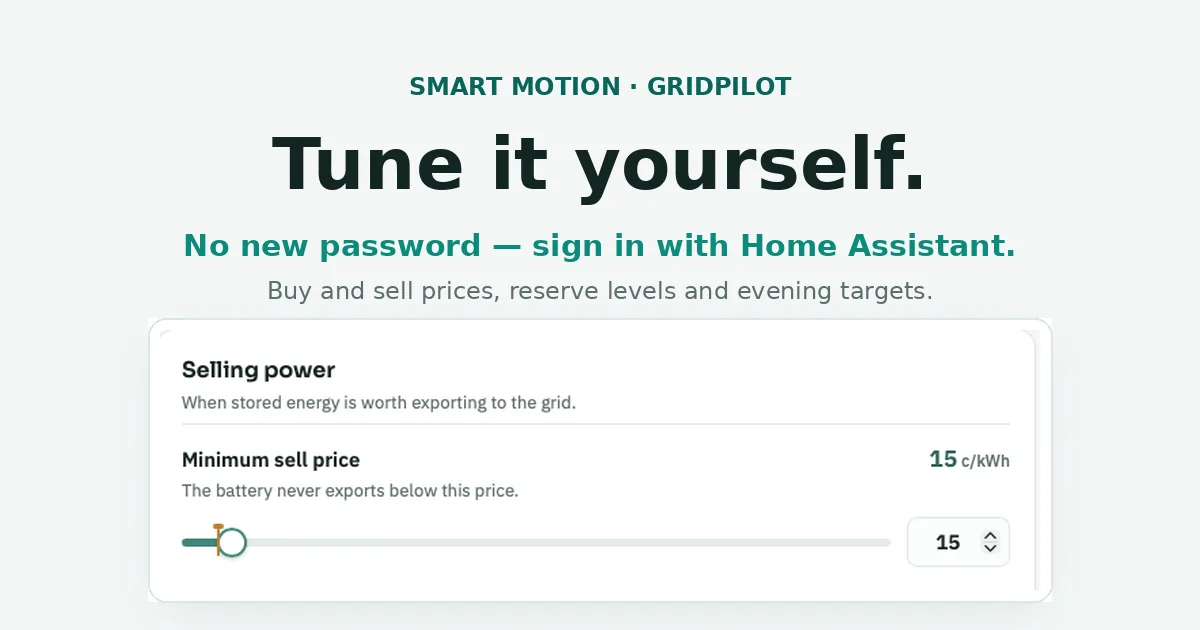
The everyday settings are front and centre and written in plain English — minimum sell price, maximum buy price, overnight reserve, how full the battery should be before the evening peak. These are the ones most people will actually want to touch.
The advanced settings sit behind a tab for anyone who wants to get further into it — profit spreads, round-trip efficiency, how far ahead the system looks, overnight charging strategy. They’re there if you want them and out of the way if you don’t.
No new password
This was the part we were most determined to get right.
You already have a Home Assistant login for your system. The last thing anyone needs is another set of credentials to keep track of, and honestly, a portal that controls your battery is not somewhere we wanted to be inventing our own password system.
So we didn’t. When you open the portal, it sends you to your own Home Assistant to sign in — same password you already use, same two-factor code if you have it switched on. Once your system confirms it’s you, the portal lets you in and stays signed in for a week.
Your password never touches our portal. We never see it, never store it, and there’s nothing new for you to remember. If you’re already signed in to Home Assistant on that device, it’s usually a single tap.
Safe by design
Giving people direct control over an automated trading system raises an obvious question: what stops someone accidentally setting something daft and having a bad month?
A few things.
- Every setting has sensible limits. The sliders won’t let you go somewhere that would put your battery or your bills at risk, and those limits are enforced on our side, not just in the browser.
- You can always see the standard value. Each slider has a marker showing the Smart Motion default, and a one-tap reset if you want to go back to it.
- Settings that aren’t doing anything say so. Some options only apply in certain modes. Instead of leaving them sitting there looking active, the portal greys them out and tells you why.
- Nothing silently breaks. Every change is checked before it’s saved, and we keep a record of what changed and when — so if something looks off, it’s traceable.
Shaped by the people using it
The portal has been in customers’ hands for a few days and the feedback has already improved it.
One customer pointed out that the “ready by” time — when the battery should be topped up for the evening — could only be set on the hour. But electricity prices move in half-hour blocks, and as he put it, there’s a real difference between 3:30 and 4. He was right. It now moves in half-hour steps.
The same conversation turned up a setting that was described badly enough to be genuinely confusing, and another that appeared adjustable on his system when it wasn’t doing anything at all. Both fixed the same week.
That’s the useful thing about putting the controls in front of people. You find out very quickly which bits make sense and which bits only made sense to the person who built them.
Getting to it
If you’re an existing GridPilot customer, there’s a Tune GridPilot button on your dashboard — or get in touch and we’ll send you your direct link. There’s nothing to install and nothing to update. It’s already live on your system.
Have a look, move something, see what happens. And if something on there doesn’t make sense, tell us — that feedback has a good track record of turning into changes.
GridPilot is Smart Motion’s home battery trading system, running on Home Assistant for households on wholesale electricity plans. Curious whether it suits your setup? Get in touch — we’re always happy to talk through it.